

If you are also a little curious about using AI agents for vibe coding, this post is about my first experience using Codex on an actual project.
I am still figuring out how to work with AI myself, so this is not a complete tutorial. It is more like a note after actually using Codex to build a side project: where it surprised me, where it still fell short of what I imagined, and which habits have helped so far.
Introduction#
I had wanted to build my own portfolio website for a while. The main goal was to track my personal investment performance and collect some market information in one place.
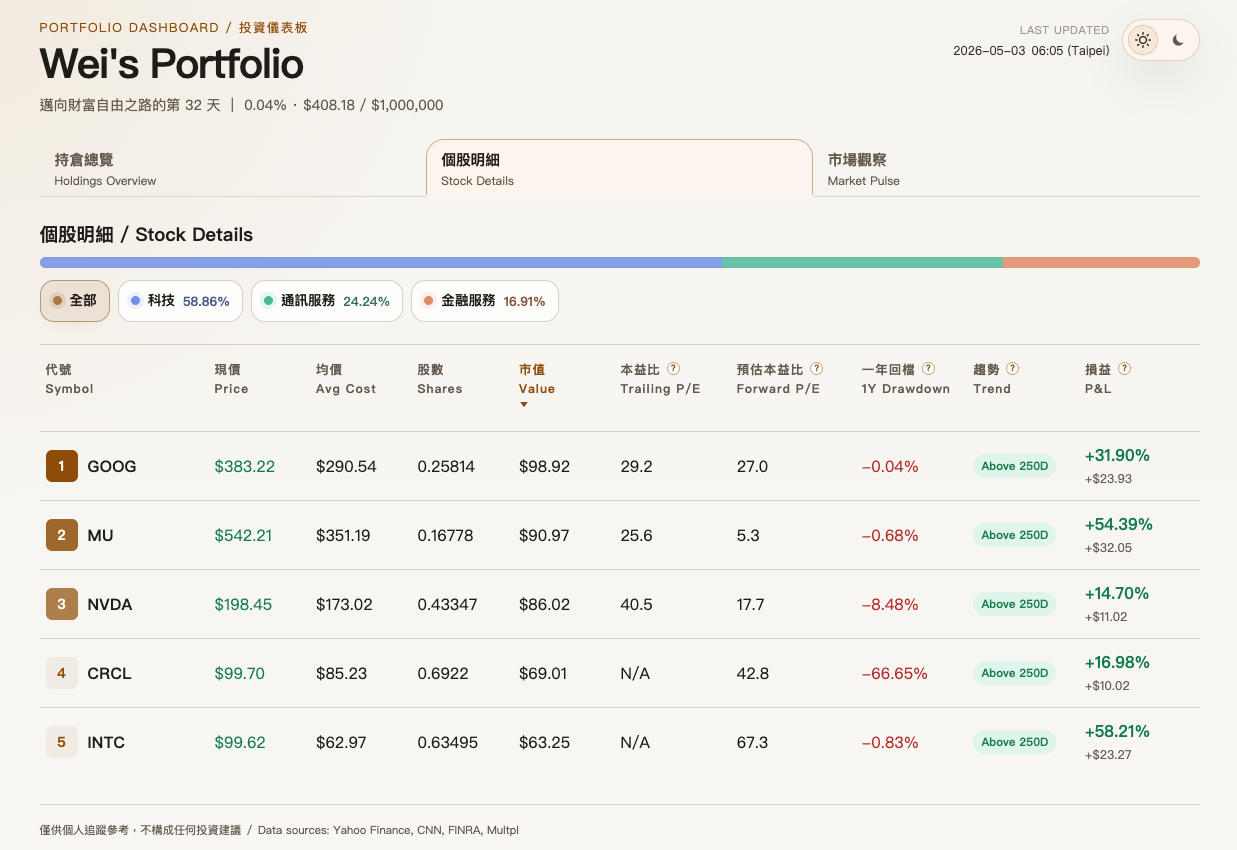
But if I had to build everything from scratch, honestly, I do not think I could have made it this quickly. Actually, even getting the first rough version out would have been pretty difficult for me. My web development knowledge is shallow. I only took one course in junior year, and now the main thing I remember is that my final project was terrible.
Recently, vibe coding has become very popular. I also happen to subscribe to ChatGPT Plus, so I have some Codex usage included, also known as the quota everyone keeps burning through when they say their tokens are gone again. So this time I thought: why not actually use Codex to build something I would use myself? Not much to lose anyway.
After using Codex more seriously on this side project, I finally felt where an AI agent is most useful: it can take a project that has been sitting there for a long time, something you want to build but do not have time for, and maybe cannot fully build yet, and push it from 0 to 1 in the time it takes to drink a cup of coffee.
Sounds exciting, right? All I can say is that it really does get addictive, so be careful. So what exactly is this magical thing called an AI agent?
What Is an AI Agent? How Is It Different from ChatGPT?#
In simple terms, ChatGPT is more like something you ask and it answers. An AI agent, after you give it a goal, can break down steps, read and write files, call tools, run commands, and adjust its next move based on the results.
I will not go too deep into the technical details here, since there is already plenty of information online. In short, it feels more like an AI engineer specialized for development. Codex and Claude Code are both examples of AI coding agents that lean toward programming work.
1. How Do You Start a New Project?#
First, you can go to the official OpenAI page and download the Codex App. Compared with Codex CLI, which runs in the terminal, the Codex App puts the chat area, file tree, preview, and task status into one interface. I found it much more beginner-friendly.
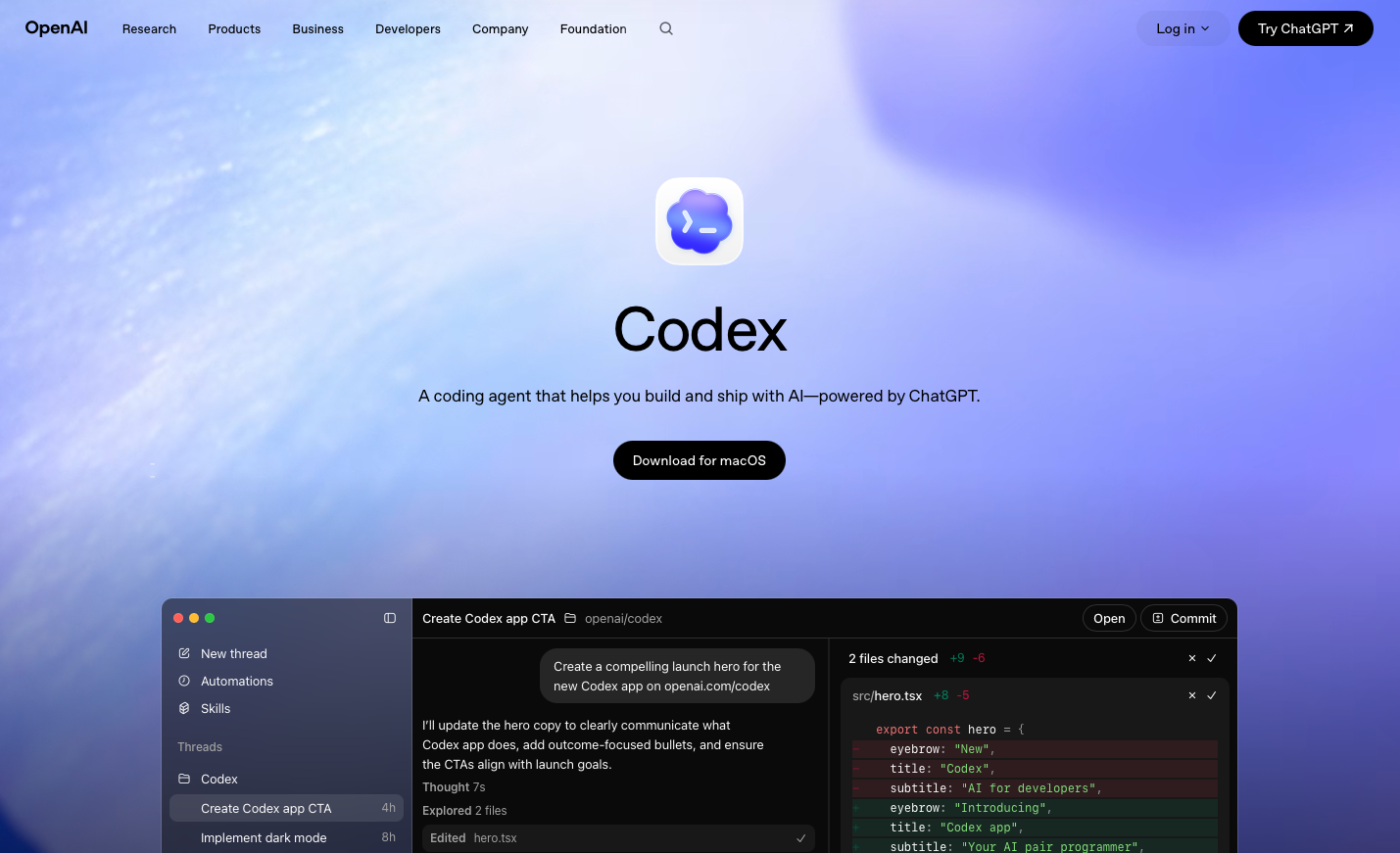
Then you just open it and tell it what you want to build. That is it.
Of course, that sentence sounds a bit too good to be true.
2. Is It Really That Perfect? Can Anything You Imagine Become Real?#
My current answer is: it is not perfect, but it surprised me more often than it disappointed me.
Earlier, I said that you only need to open it and tell it what you want to build. That is just the most basic entry point. Once you actually start working, you realize that an AI agent’s output depends heavily on context: how much old and new information it has, how well it understands the project state, and whether you explained the requirement clearly.
It is powerful, but the person using it also needs to express requirements clearly.
This is actually a bit like asking an engineer to help you build something. You would give them specs, discuss details, and check assumptions. You probably would not explain the whole project in one sentence and disappear, leaving the rest entirely to the engineer’s imagination. If the result ends up different from what you wanted, that is pretty reasonable.
For example, at first I asked Codex to add a market sentiment section. I did not describe it very precisely, and only said that I wanted a sentiment gauge, a trend chart, and scores from different points in the past:
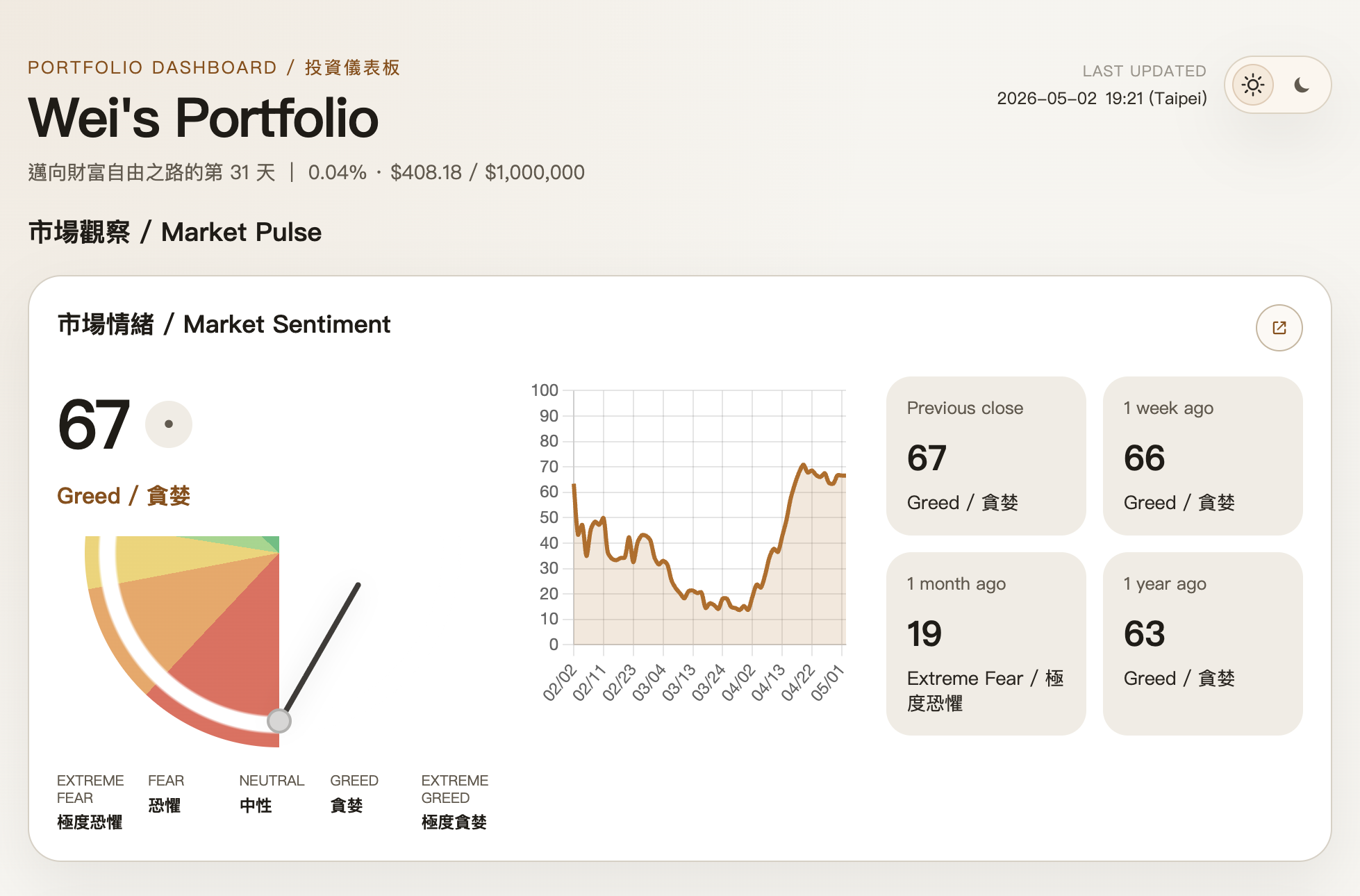
The information was technically there, but the pointer looked awful, the layout was a mess, and the Fear & Greed Index from one year ago was wrong too.
After a round of intense communication, which I did not record in detail, but it basically felt like arguing with an engineer XD, it was eventually able to slowly move toward the version I wanted:
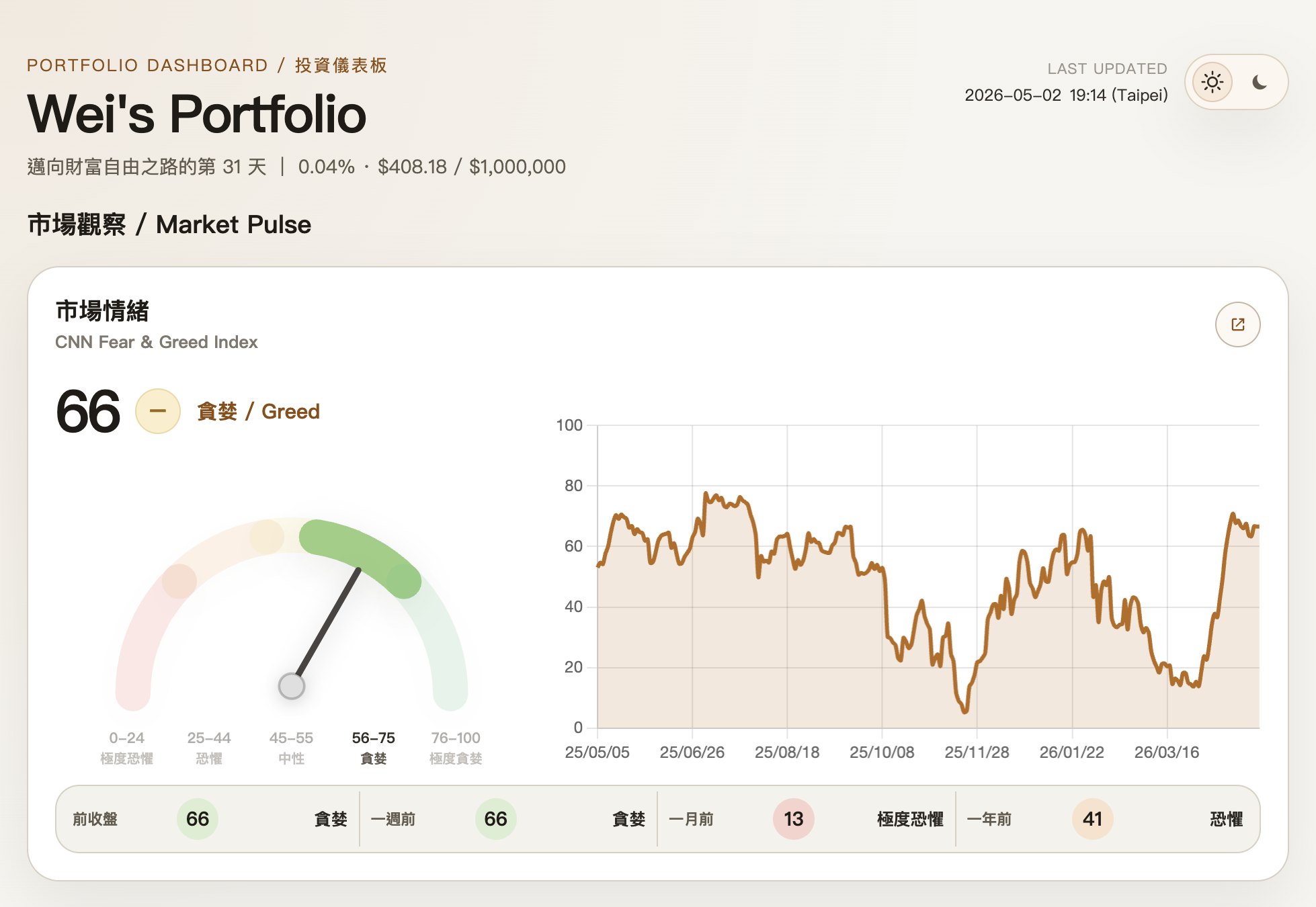
Pretty impressive, right? The condition is that I still have to explain the requirement clearly. After all, it cannot see the layout inside my head.
3. What Helps? And What I Have Felt So Far#
If you search online, you can probably find dozens of ways to improve Codex’s output quality. Below are a few things I actually tried in this project and found helpful.
I am not an expert in this area, and I did not design a rigorous control group, so I cannot guarantee that these methods always work. But based on my own experience, they did make Codex’s output more stable and closer to the direction I wanted.
If I had to summarize the main point, it would be: align the thinking first, then start implementing.
1. Start with code review, not immediate changes#
Although an AI agent can start a new project from zero, I did not really want to spend a huge amount of time describing a full product spec at the beginning. So I chose a more practical approach: start from a similar project made by a classmate, then slowly work with Codex to turn it into what I wanted.
So the first step was not asking Codex to change the UI or add features directly. I first asked it to understand the project structure, and explicitly told it: “do not edit the code yet.”
I want to build a "personal investment dashboard" project,
using https://github.com/huangchink/portfolio as the starting point.
Help me understand the project structure first,
and do not rush into editing code.
This step helped me a lot, because it gave me a rough idea of what the project looked like: which parts handled data, which parts handled UI, which logic was too tightly coupled, which parts should be modularized first, and so on.
In other words, this was not “blindly changing the UI.” It was first letting Codex understand the situation, and also letting me know what I was actually about to change.
2. Add documentation and collaboration rules#
Next, I asked Codex to help fill in project documentation and create AGENTS.md, writing down the engineering rules I wanted it to follow in later collaboration. For example:
- prioritize readability, maintainability, and extensibility
- use English for comments and docstrings
- separate data logic, UI logic, and external API access as much as possible
- explain the plan before editing, and summarize the reason after editing
This step may look unnecessary, but I later felt it helped. Once the rules were written into AGENTS.md, later rounds of changes were less likely to drift, and I did not have to repeat the same reminders every time.
3. Use plan mode for version-sized changes#
After the structure and rules were clearer, I started using plan mode for larger version-sized changes. For me, the most valuable part of plan mode is that it first breaks the requirement into a plan before implementation, which is basically the key step of aligning ideas with the user first.
My usual flow right now is roughly:
- I describe what I want in this version
- Codex turns it into a plan
- I confirm the direction and let it implement
- After it finishes, I check the UI and continue to the next round
4. Use ChatGPT to prepare instructions for Codex#
Sometimes I know what I want, but it is hard to quickly write a clear instruction. In those cases, I first ask ChatGPT to help organize the prompt, then paste it into Codex.
For the code review, documentation and collaboration rules, and plan mode changes mentioned above, I actually organized my thoughts in ChatGPT first too. I used it to clarify the tone, goal, and constraints before giving the more complete instruction to Codex.
This sounds a bit roundabout, but it is actually useful. Natural language is convenient, but the fuzzier the requirement is, the more likely the agent will follow its own interpretation. Clarifying the request first is basically a way to lower communication cost.
5. Turn repeatable workflows into skills#
Skills can be understood as SOPs for agents, so you do not have to repeat the same rules every time. They can make the agent’s behavior more stable, and they are only loaded when needed, instead of stuffing all rules into the context from the beginning. This helps save context and token usage too.
If something keeps repeating, such as code review, writing version update notes, unifying frontend style, or setting up a test environment, it is probably suitable to turn it into a skill.
Conclusion#
Based on this experience, Codex already feels like a collaborator with senior-engineer-level ability. Its correctness is reasonably solid, and it can solve many problems on its own, so it is very good at helping push a project from 0 to 1.
But to go from 1 to 100 and reach the final version in your head, human and AI still need to communicate and work together. After all, AI cannot read your mind yet. If it can someday, that would be kind of scary, haha.
I am still learning too. AI is developing really quickly, and the way humans collaborate with AI may look completely different again after a while. So for me, the most important thing right now is to stay open and keep learning how to hand my ideas to AI more clearly, so we can turn imagination into something real together.